
React Components And Props
What Are Components?
Lets take a look at Youtube as an example. If you take a look at the screen when you are watching a video, you’ll see that the display, or App, can be divided into sections that look like templates that are reused to display different data: App
- Left: Main Video
- Right: Suggested Video
- Bottom: Comments
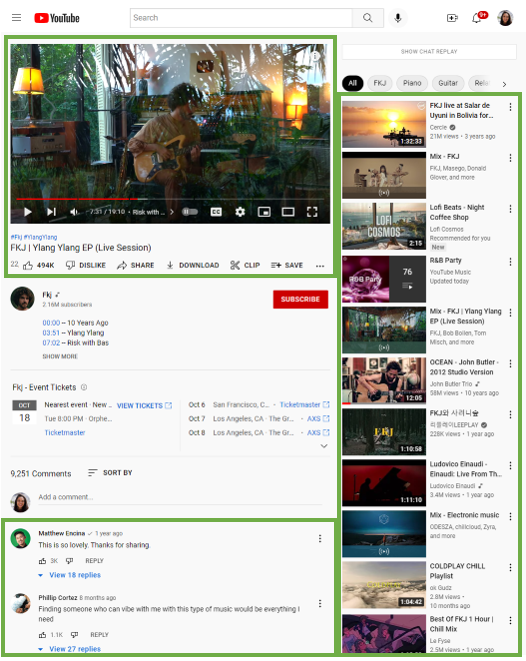
Lets break down each of these sections so we can have a deeper understanding of components.
Left: Main Video
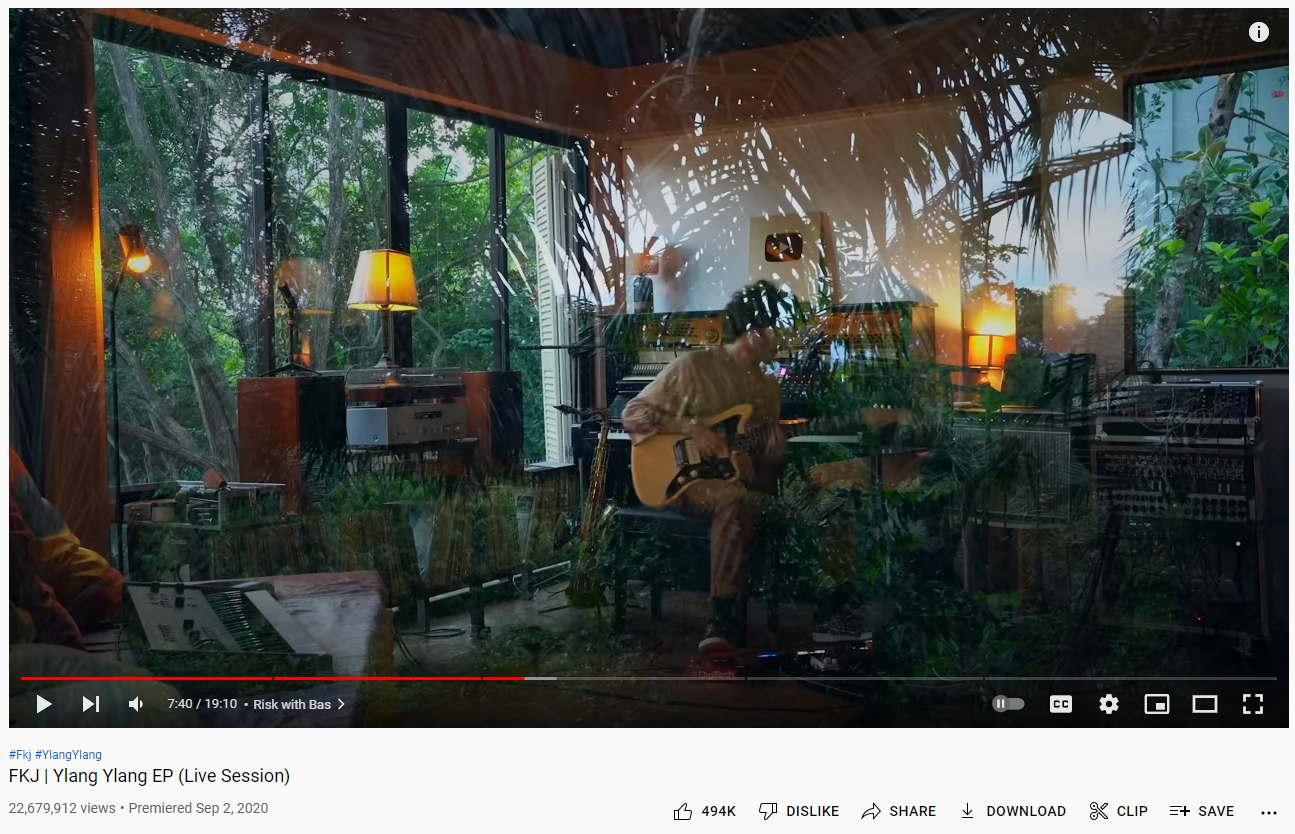
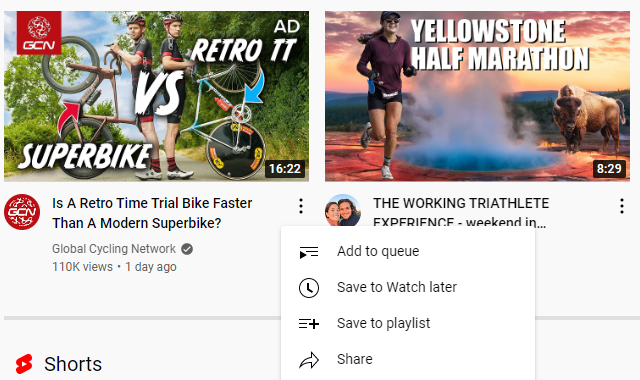
When we look at the left side of the screen, you will see the video itself. Overlayed on the video, there are buttons to pause, play, control the volume, skip forward on the video, enable closed caption and more. Just beneath the video, you can see the video title and buttons to like, dislike, share, download, clip and save. You’ll notice how some of those button icons are familiar and are displayed at other parts of Youtube’s site (see below a snip from the Youtube homepage with suggested videos and a save button being displayed after you click the three dots). It is useful to work with components in this scenario because if Youtube were to decide to adjust the SAVE icon, it would only need to be changed in one place and it will update across the entire site instead of updating each video’s save button itself.
Right: Suggested Video
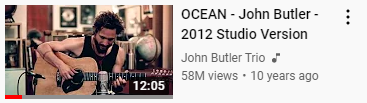
If you take a look at the right hand side of the screen, you’ll see the suggested video pane. You can keep scrolling down and more videos will populate. This component can be treated as a list. You’ll also notice that within this component, you can see there is an iteration of a same type of component in the form of a card. There is a screenshot of the video, the video title, the Youtuber username, how many views, and when it was published. A way to handle this list is to iterate in a for loop where it iterates through the information and only calls on the card. You also know that the Right Coponent interacts with the Left by when selecting a suggested video, it becomes the one that is displayed on the Left Main Video Component.
Bottom: Comments
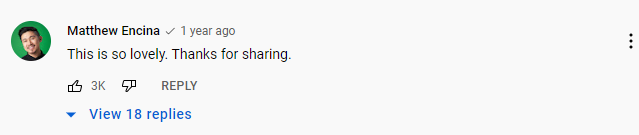
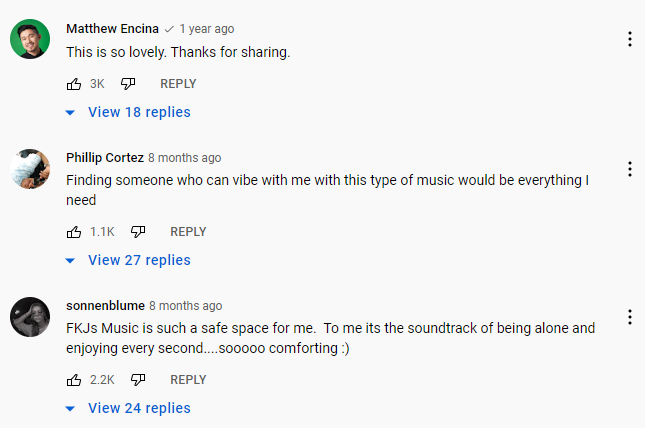
The Comments component is very similar to the Suggested Video component where it displays as a list. There is a profile photo of the user that contributed the comment, their name, the comment, a like or dislike button, a reply, and a list of replies that you can expand. Here, you can see how it would be useful where if we wanted to change a font color or size, we would change that in one spot before it applies to all other comments.
What Are Props?
Before we go into depth on what props are, lets work through what it would look like if we didn’t have props. If we build on the Youtube comment component section and disect each comment “card”, it might looks something like the following:
import React from 'react';

export default function App() {
  return (
    <div>
      <div>
        <h1>Matthew Encina</h1>
        <h2>This is so lovely. Thanks for sharing.</h2>
      </div>

      <div>
        <h1>Phillip Cortez</h1>
        <h2>Finding someone who can vibe with me with this type of music would be everything I need</h2>
      </div>

      <div>
        <h1>sonnenblume</h1>
        <h2>FKJs Music is such a safe space for me. To me its the soundtrack of being alone and enjoying every wecond....sooooo comforting :)</h2>
      </div>
    </div>
   )}
You’ll see that with each comment card, the code becomes repetitive. It becomes even more tedious when you have to make a change like if you wanted to make each username bold, you would have to go into each comment and bold out the username. Lets create a function called Card and compile all the comment information in a JSX.
function Card() {
  return
}

export default function App() {
  return (
    <div>
      <Card username="Matthew Encina", comment="This is so lovely. Thanks for sharing."/>
      <Card username="Phillip Cortez", comment="Finding someone who can vibe with me with this type of music would be everything I need"/>
      <Card username="sonnenblume", comment="FKJs Music is such a safe space for me. To me its the soundtrack of being alone and enjoying every wecond....sooooo comforting :)"/>
    </div>
  );
}
So how do we connect the function and the JSX? This is where props come into play. Functions take in an argument called props, and returns the JSX.
What you’ll notice is with
import React from 'react';

function Card(props) {
  return (
    <div>
      <div>
        <h1>{props.username}</h1>
        <h2>{props.comment}</h2>
      </div>
   );
}

export default function App() {
  return (
    <div>
      <Card username="Matthew Encina", comment="This is so lovely. Thanks for sharing."/>
      <Card username="Phillip Cortez", comment="Finding someone who can vibe with me with this type of music would be everything I need"/>
      <Card username="sonnenblume", comment="FKJs Music is such a safe space for me. To me its the soundtrack of being alone and enjoying every wecond....sooooo comforting :)"/>
    </div>
  );
}
We can further scrub this code from repeating props by using destructuring. Instead of using an object called props, we can use the username and comment objects:
import React from 'react';

function Card(username, comment) {
  return (
    <div>
      <div>
        <h1>{username}</h1>
        <h2>{comment}</h2>
      </div>
   );
}

export default function App() {
  return (
    <div>
      <Card username="Matthew Encina", comment="This is so lovely. Thanks for sharing."/>
      <Card username="Phillip Cortez", comment="Finding someone who can vibe with me with this type of music would be everything I need"/>
      <Card username="sonnenblume", comment="FKJs Music is such a safe space for me. To me its the soundtrack of being alone and enjoying every wecond....sooooo comforting :)"/>
    </div>
  );
}
I hope this helps with a basic understanding of Components and Props and how they are helpful whenever a new comment is being generated on a Youtube video!